Clinical software for psychologists. Keep clinical judgment in your hands.
Clara brings clients, scheduling, invoicing, and session documentation into an environment designed for psychotherapy. It prepares a first draft in your clinical language, and you review, refine, and decide what belongs in the record.
Your orientation in every note
CBT, systemic, psychodynamic, humanistic, and other available orientations. The note follows your vocabulary, while the final word remains yours.
Continuity between sessions
Clara connects themes and patterns across the record, so you can return to each person's work with the clinical context close at hand.
Spanish, Catalan, and English
The experience is built for clinicians working in Spain, with natural language across all three languages and privacy explained plainly.
Clinical review in your hands
Every note arrives as an editable draft. You can correct, expand, or rewrite it and mark the session as reviewed when appropriate.
Everything Clara does
Each part of Clara has its own page, with what it does and what it does not.
- AI clinical notesDrafts in your therapeutic approach
- Session transcriptionThe session, transcribed with consent
- Clinical historyCurrent after every session, with previous history
- Psychological reportsDrafts with the source of every paragraph
- Ask ClaraSearch and ask about each patient's history, with the sources cited.
- Informed consentSending, signing and records
- Calendar and remindersGoogle Calendar plus email and SMS reminders
- InvoicingInvoice every session from Clara
Your practice, from one session to the next
Follow an example workflow: find the history, prepare the appointment, review the record and invoice the session.
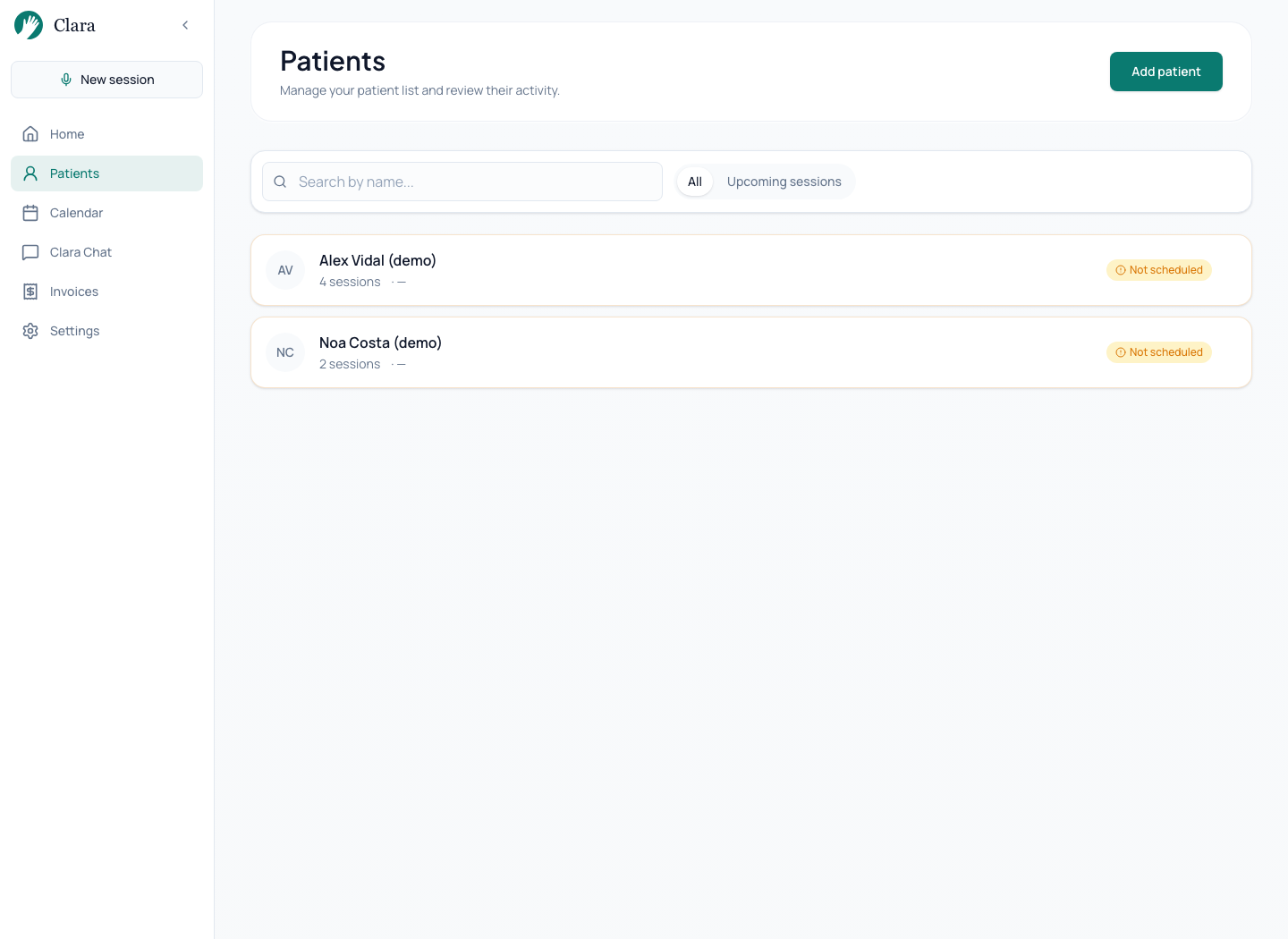
01Patients and clinical context
Find each person, consult their sessions and return to the history before the next appointment.
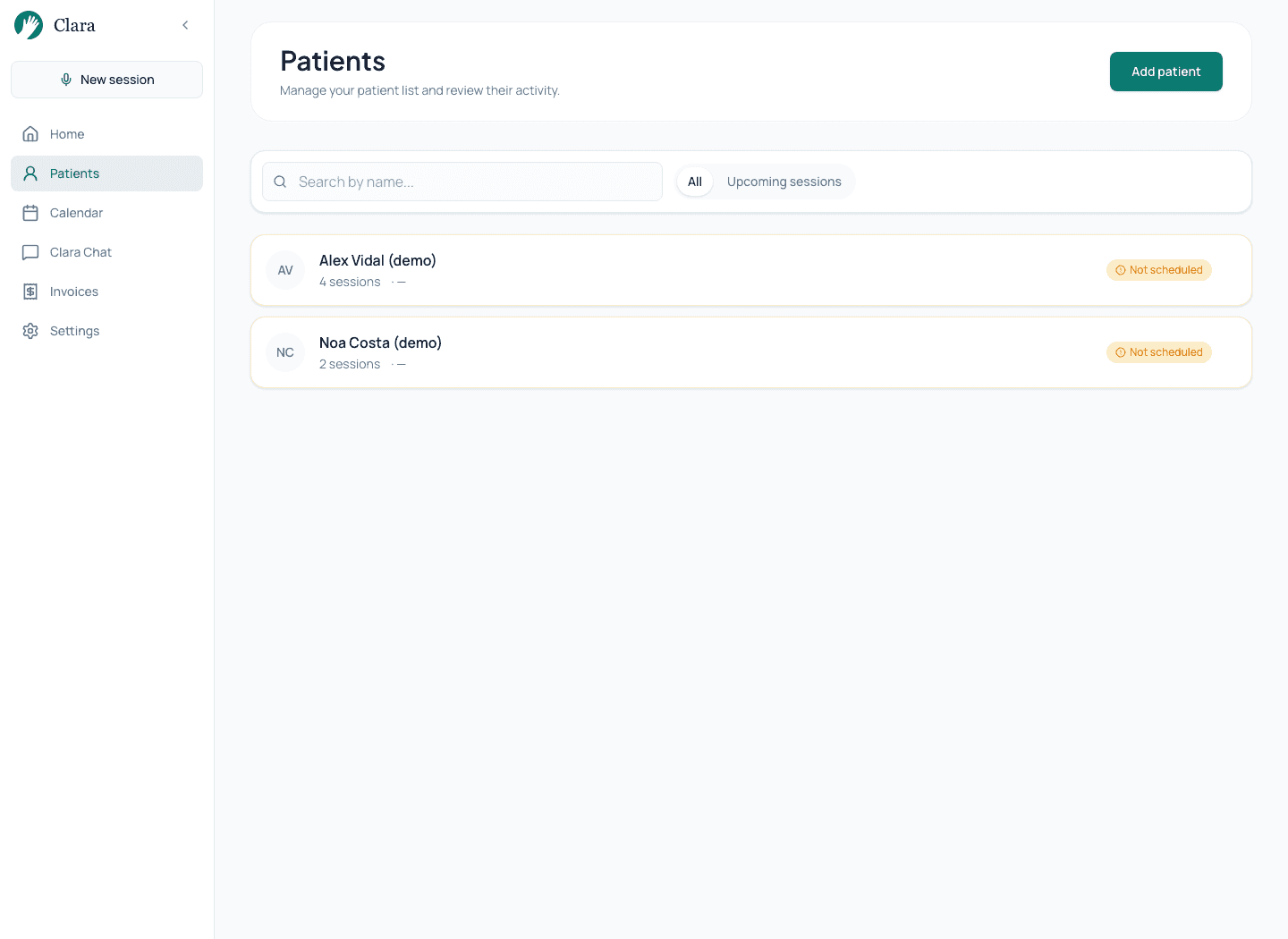
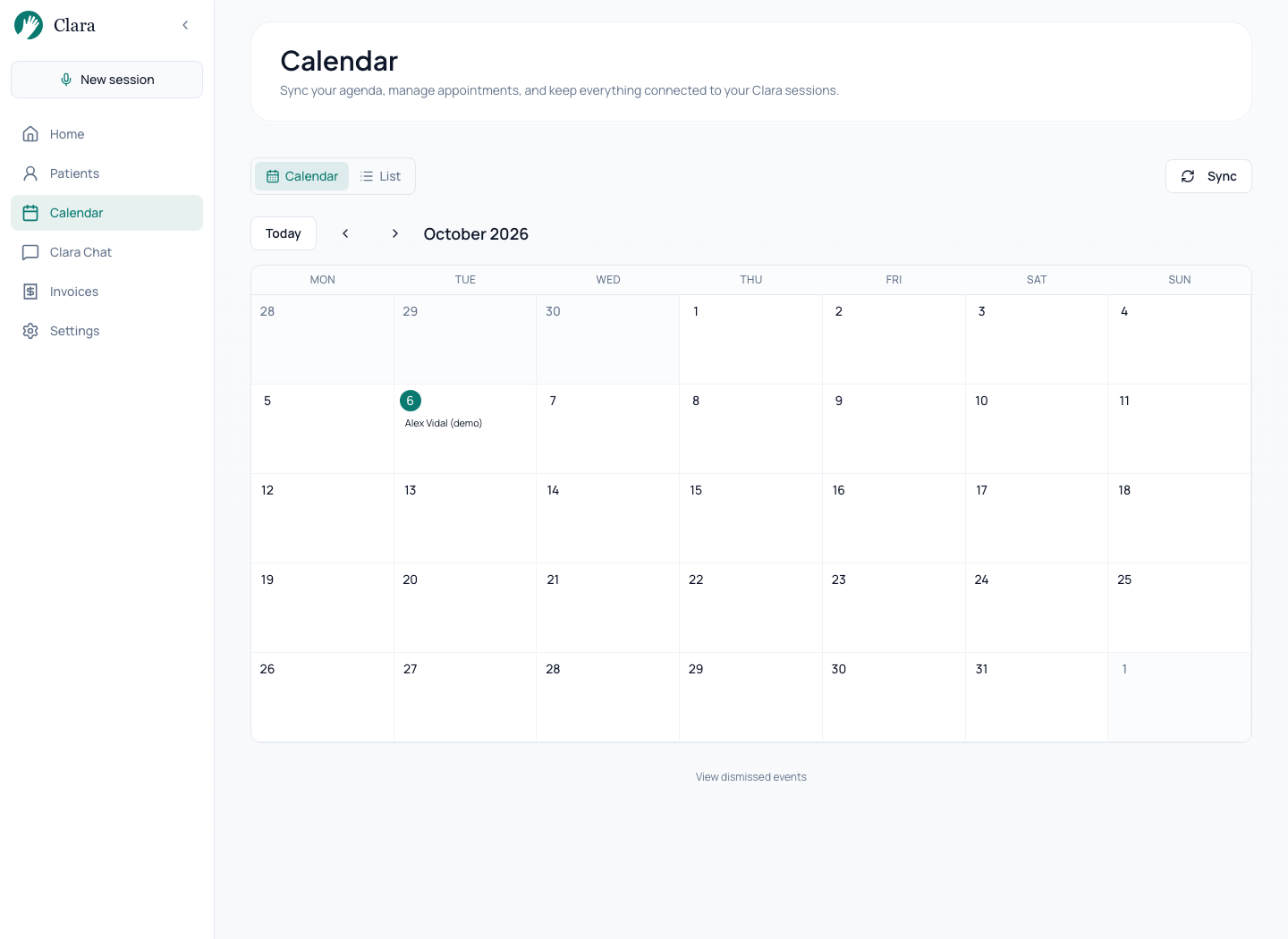
Real Clara interface. Fictional data prepared for this demonstration.Open screenshot at full size → 02Scheduling connected to the session
Link appointments to the right person. The session and its record belong to the same workflow.
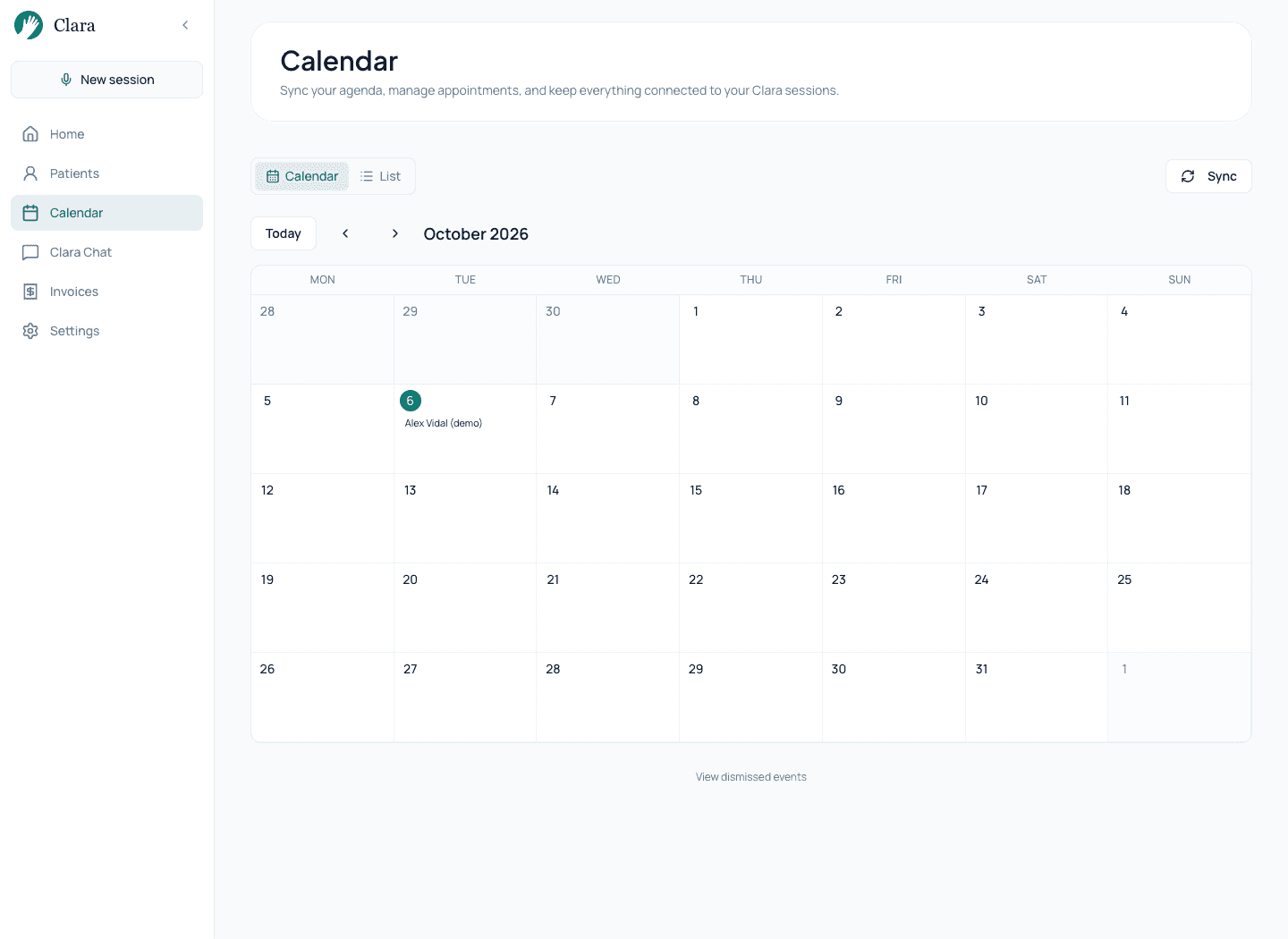
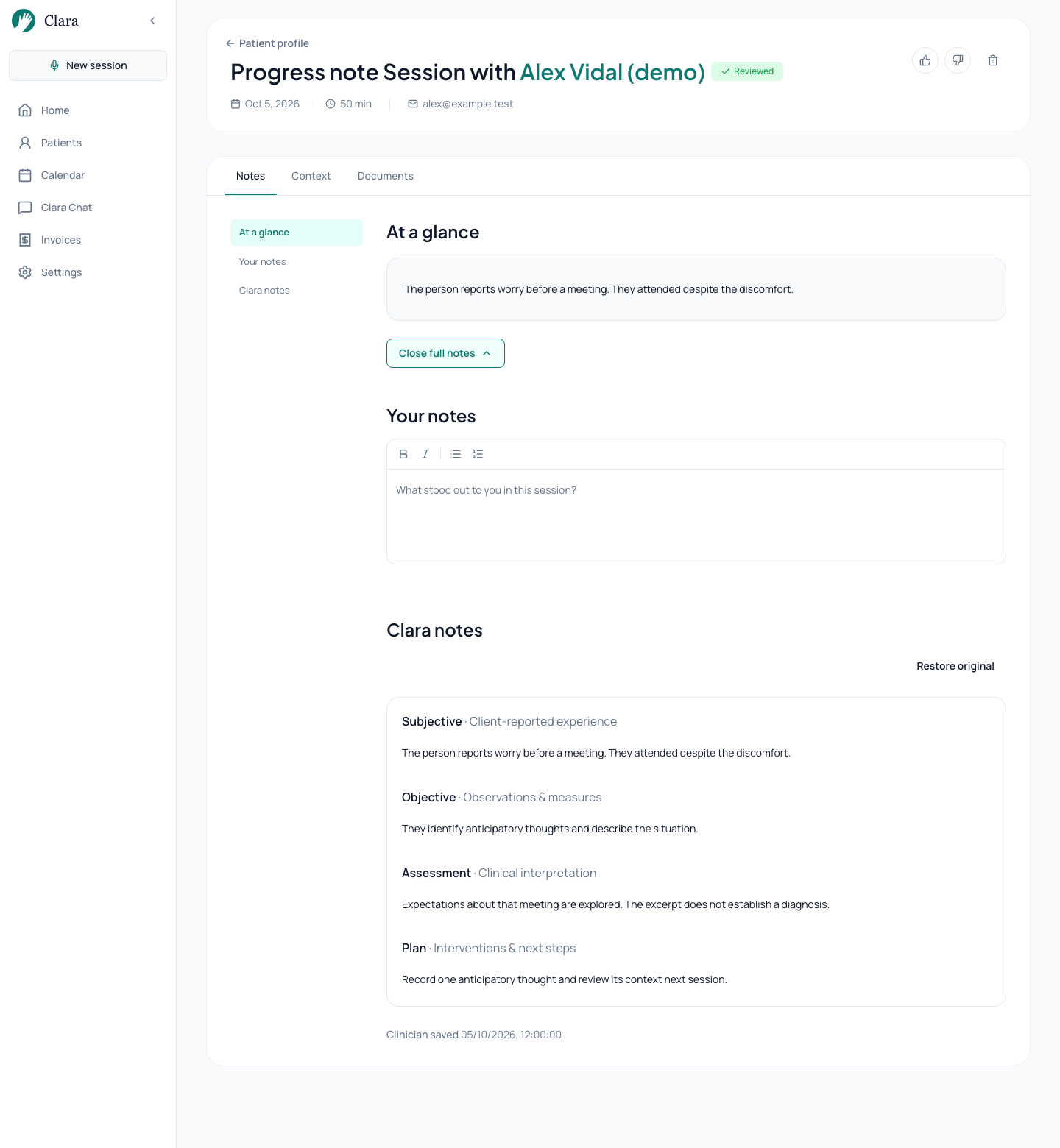
Real Clara interface. Fictional data prepared for this demonstration.Open screenshot at full size → 03A draft you can review
Compare the record with the session, correct what is needed and mark the session as reviewed when it represents your work.
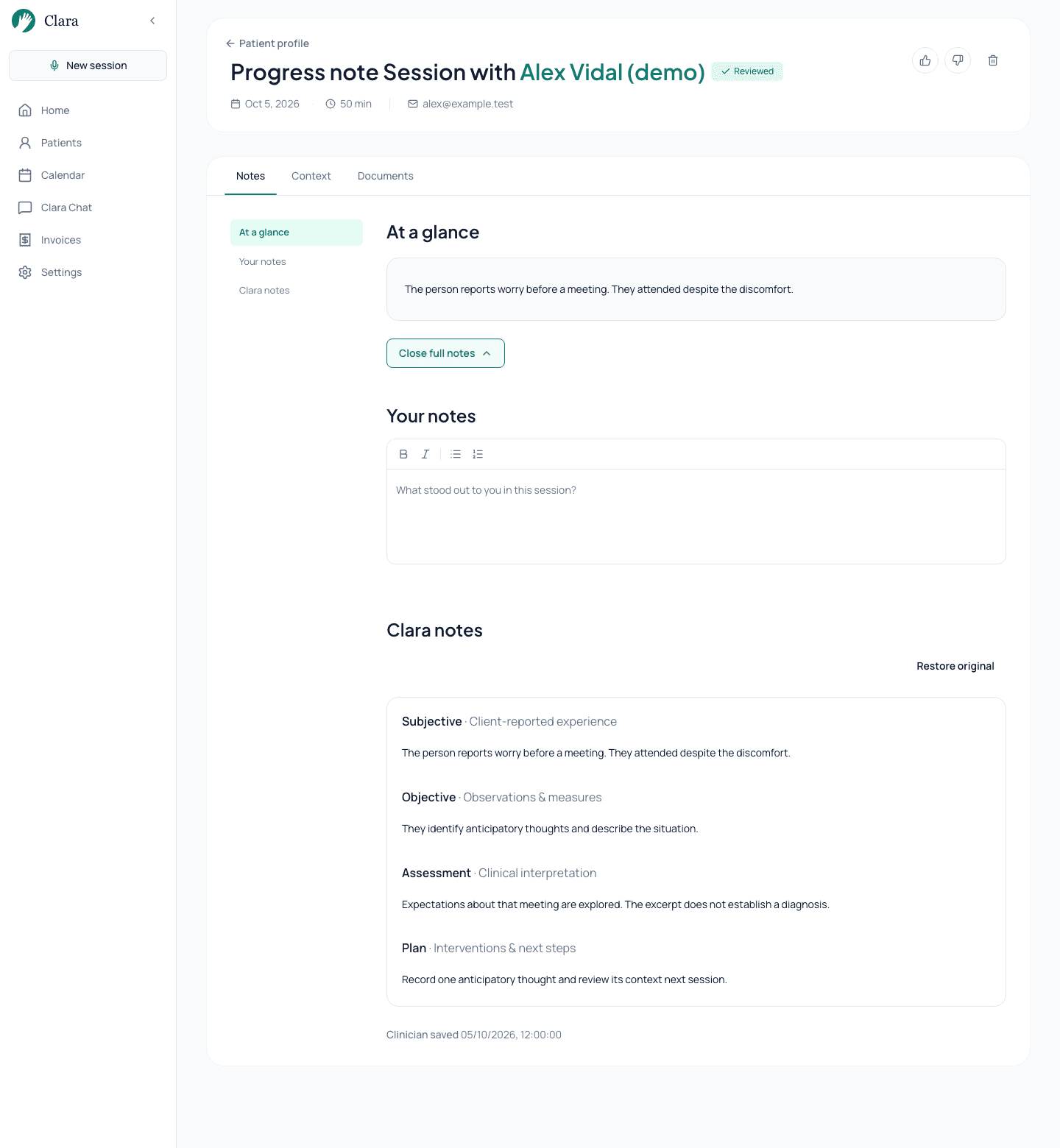
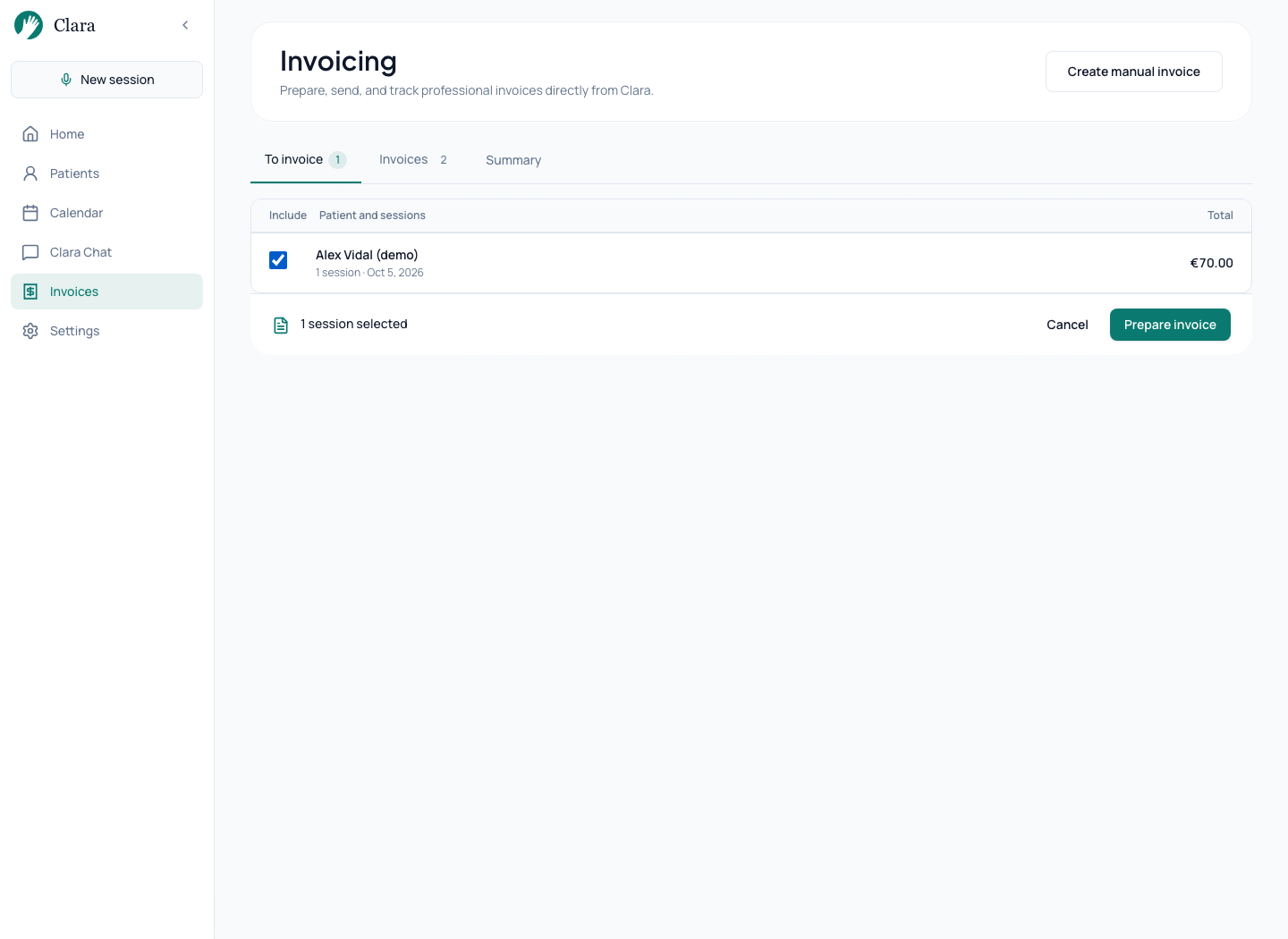
Real Clara interface. Fictional data prepared for this demonstration.Open screenshot at full size → 04Invoicing and payment follow-up
Select pending sessions, review the invoice draft and issue it. Recording payment is a separate step from issuing or sending.
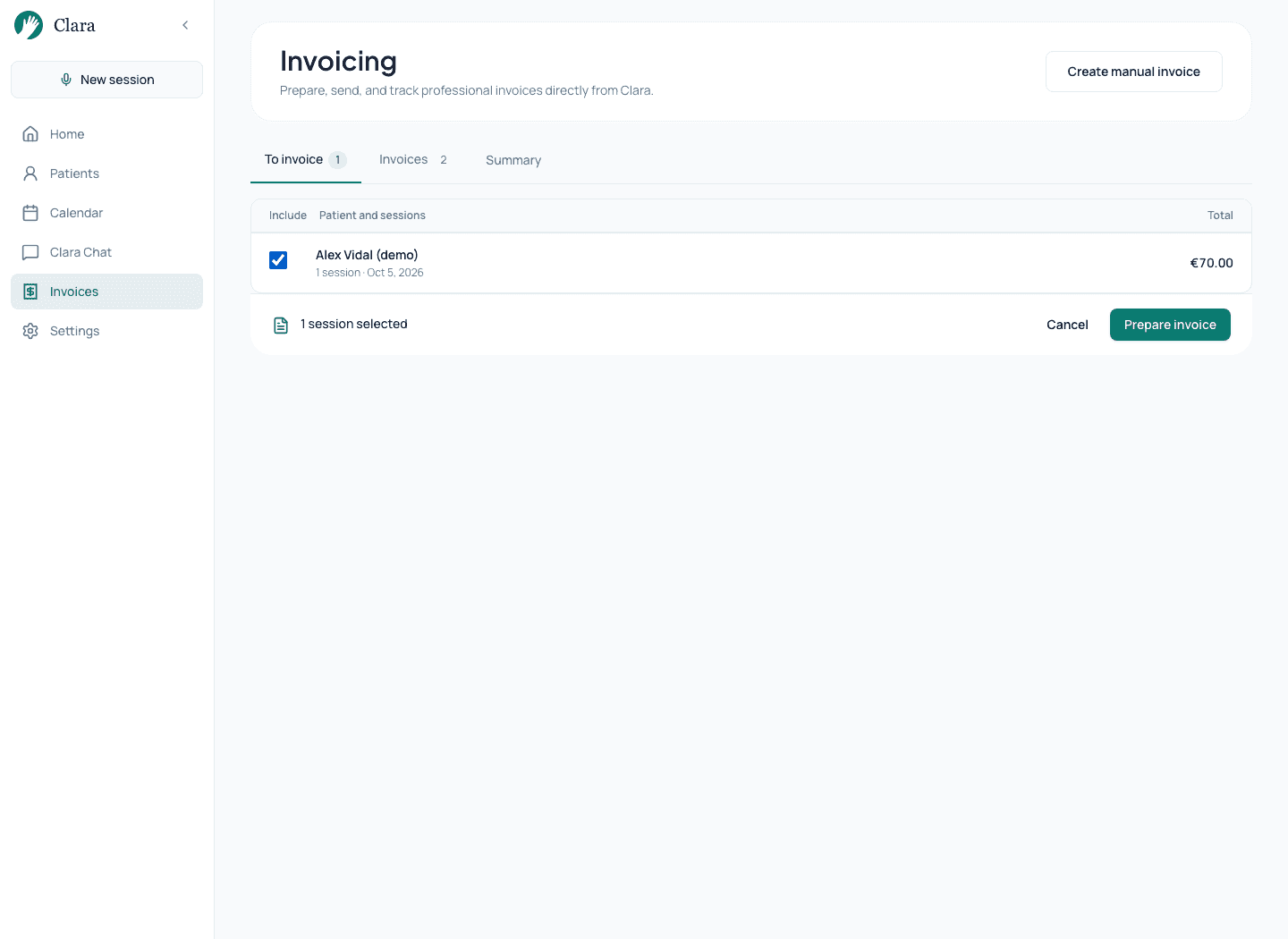
Real Clara interface. Fictional data prepared for this demonstration.Open screenshot at full size →
Start with a workflow you already know
- Do I need to move my entire practice?
- Explore Clara with a fictional person and session. Review which parts of your workflow you want to bring together before entering real information.
- How does it fit my calendar?
- Clara connects to Google Calendar and lets you choose which calendars to sync. Check which appointments appear and how they link to each person.
- Can I work in Spanish and Catalan?
- The interface is available in Spanish, Catalan and English. Also test the languages and language switches you use in sessions.
- What happens to my earlier notes?
- You can bring in previous documentation and review a history draft before applying it. Check the selection of information with a fictional document.
What to look for in clinical software for psychologists
Clients, scheduling, reminders, and invoicing connected to documentation
Notes that respect your orientation and the way you formulate
Context between sessions without losing sight of the wider process
Natural language in Spanish, Catalan, and English
Plain-language privacy designed for the GDPR context
Document with the same care you bring to the session.
No credit card required. Cancel anytime.
Try Clara freeRelated resources